How to integrate Swikly with Net2Rent?
1. Connect your Swikly account to Net2Rent
2. Set up security deposit amounts in Swikly
3. Set up security deposit amounts in Net2Rent
4. Configure the security deposit request email
5. How do I know if the security deposit has been secured?
1. Connect your Swikly account to Net2Rent
Open Net2Rent in one tab of your browser and Swikly in another tab so you can easily switch between the two platforms.
From your Swikly account, click on “Apps & Integrations” in the left-hand menu, then search for Net2Rent.
Click on “Connect”. A page will open where you need to enter the API key from your Net2Rent account.
- From your Net2Rent account, click on “Configuration”, then on “Integrations”.
- Click on “Connect” and select Swikly.
- Click on “Connect” under Swikly.
- Click on “View” to access the API key.
- Click on “Connect lodgings”.
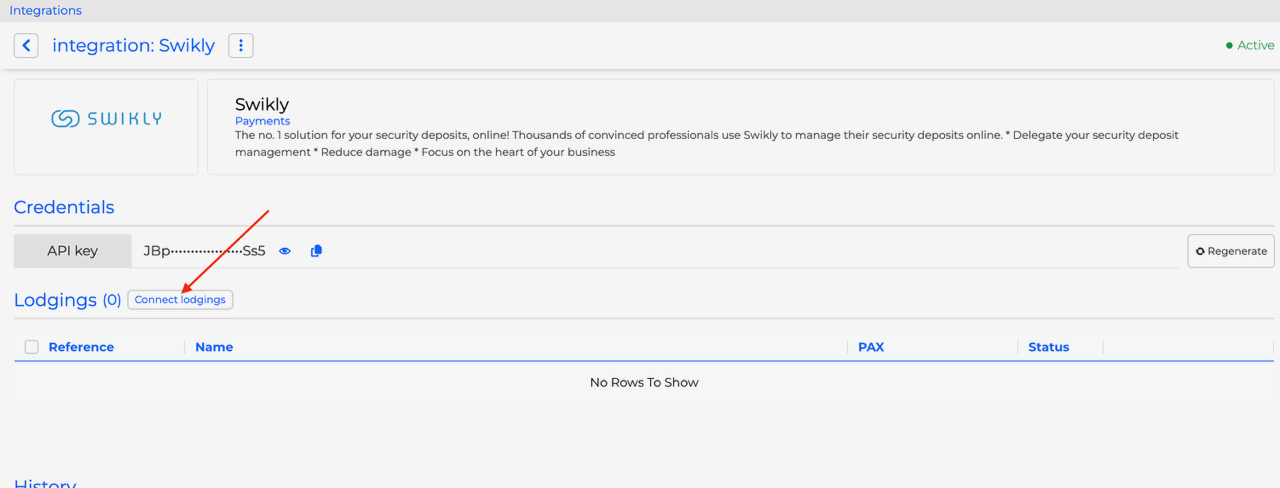
- Finally, copy the API key and paste it into Swikly.
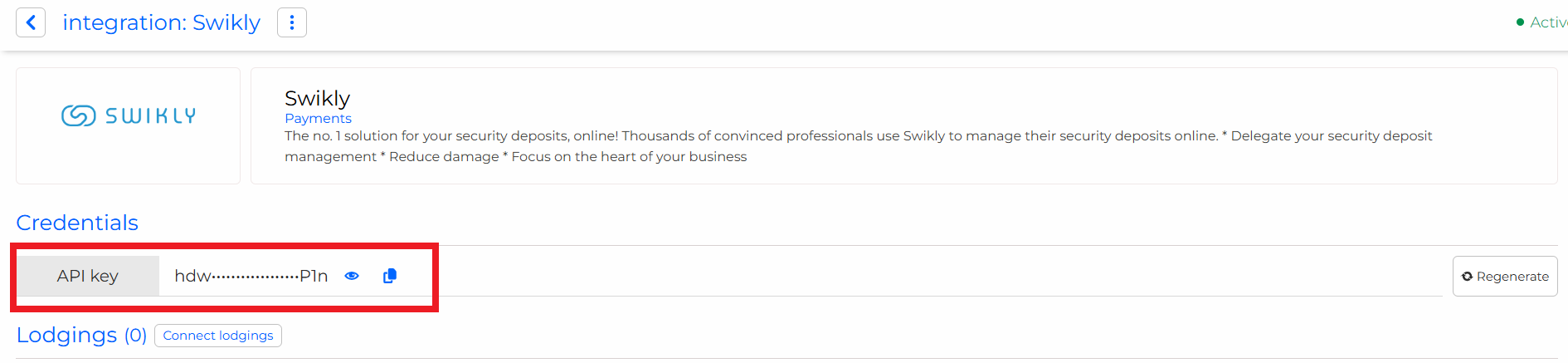
After copying the API key, click on "Validate". All your properties will now appear in Swikly!
2. Set up security deposit amounts in Swikly
After connecting Net2Rent to Swikly, the list of properties appears below:
Enter the following information :
- The default Swikly account
- The type of request
- The default security deposit amount
These fields must be completed for Swikly links to function properly.
3. Set up security deposit amounts in Net2Rent
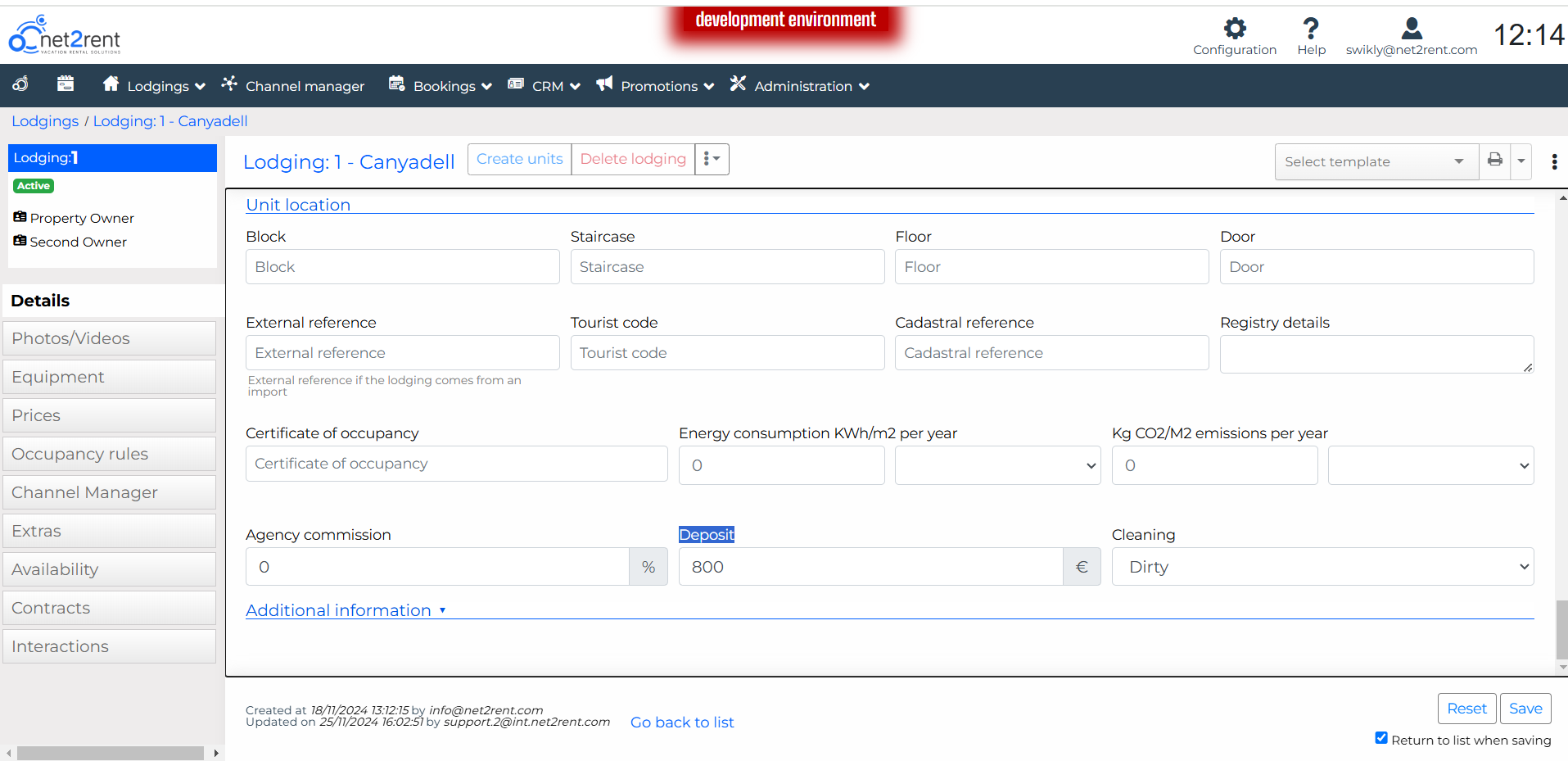
You can also set your deposit amounts from a property’s page in Net2Rent.
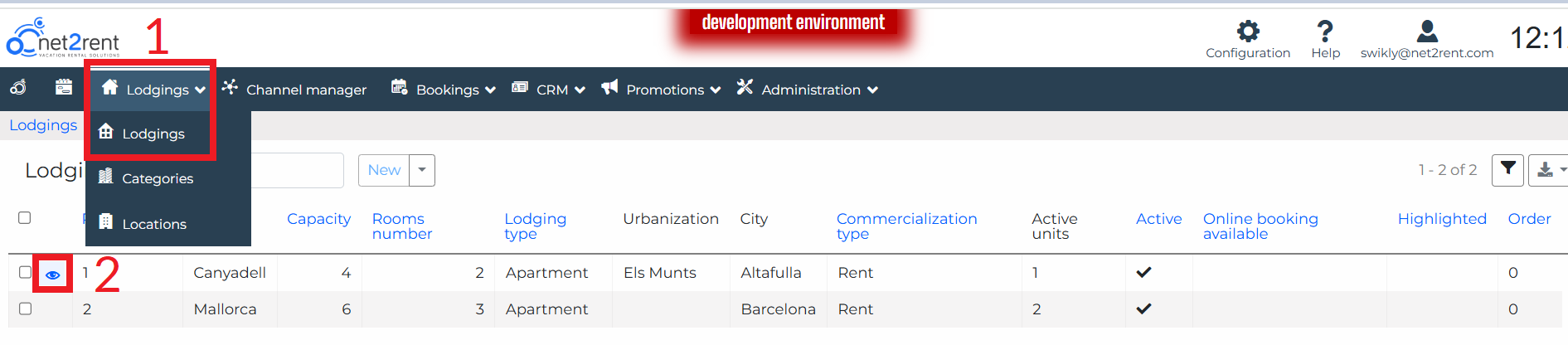
- Click on Lodgings.
- Open a property by clicking on the eye icon.
- Enter a deposit amount in the “Deposit” field.

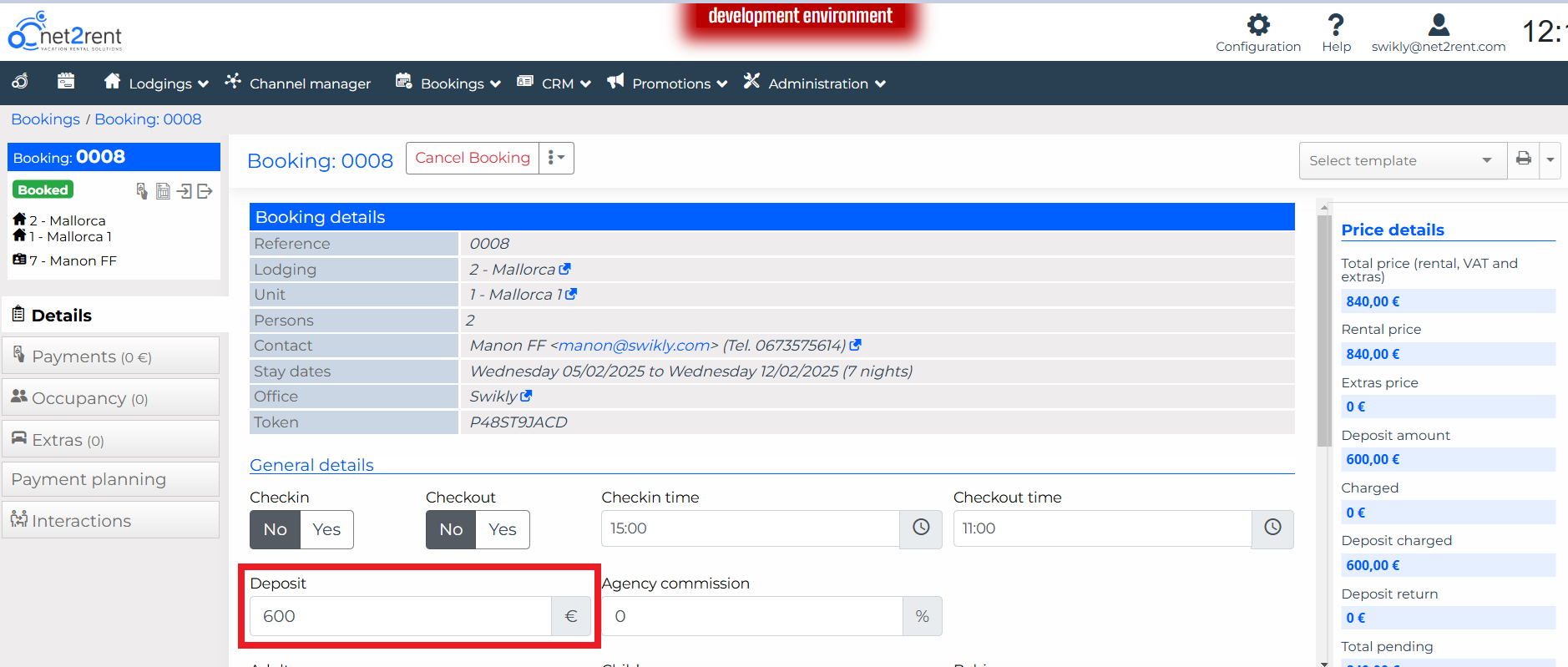
4. Configure the security deposit request email
- Click on “Configuration” and then on “Templates” to create an email template for requesting the Swikly deposit.
- Once the template is created, click on “Automatic Settings” to set up automatic sending.
5. How do I know if the security deposit has been secured?
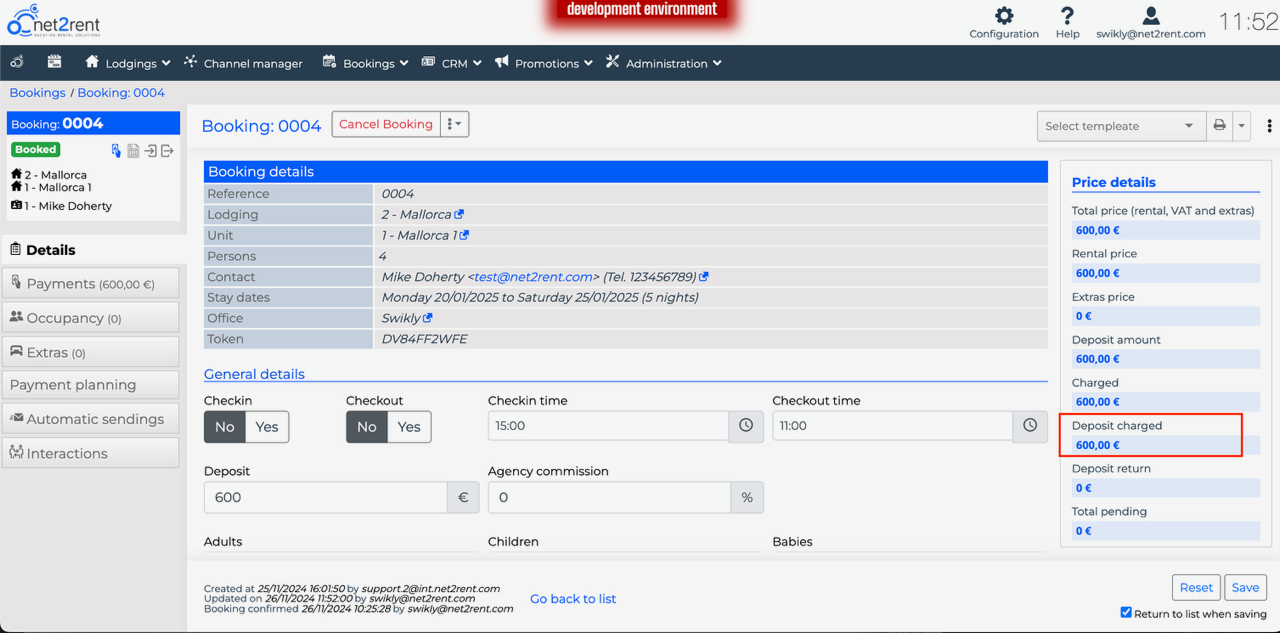
You can check whether the deposit has been successfully made from the booking’s page. In the right-hand menu, the "Deposit charged" field shows the deposit amount when it has been made. Conversely, if no deposit has been recorded, this field will show €0.
Was this article helpful?
That’s Great!
Thank you for your feedback
Sorry! We couldn't be helpful
Thank you for your feedback
Feedback sent
We appreciate your effort and will try to fix the article